
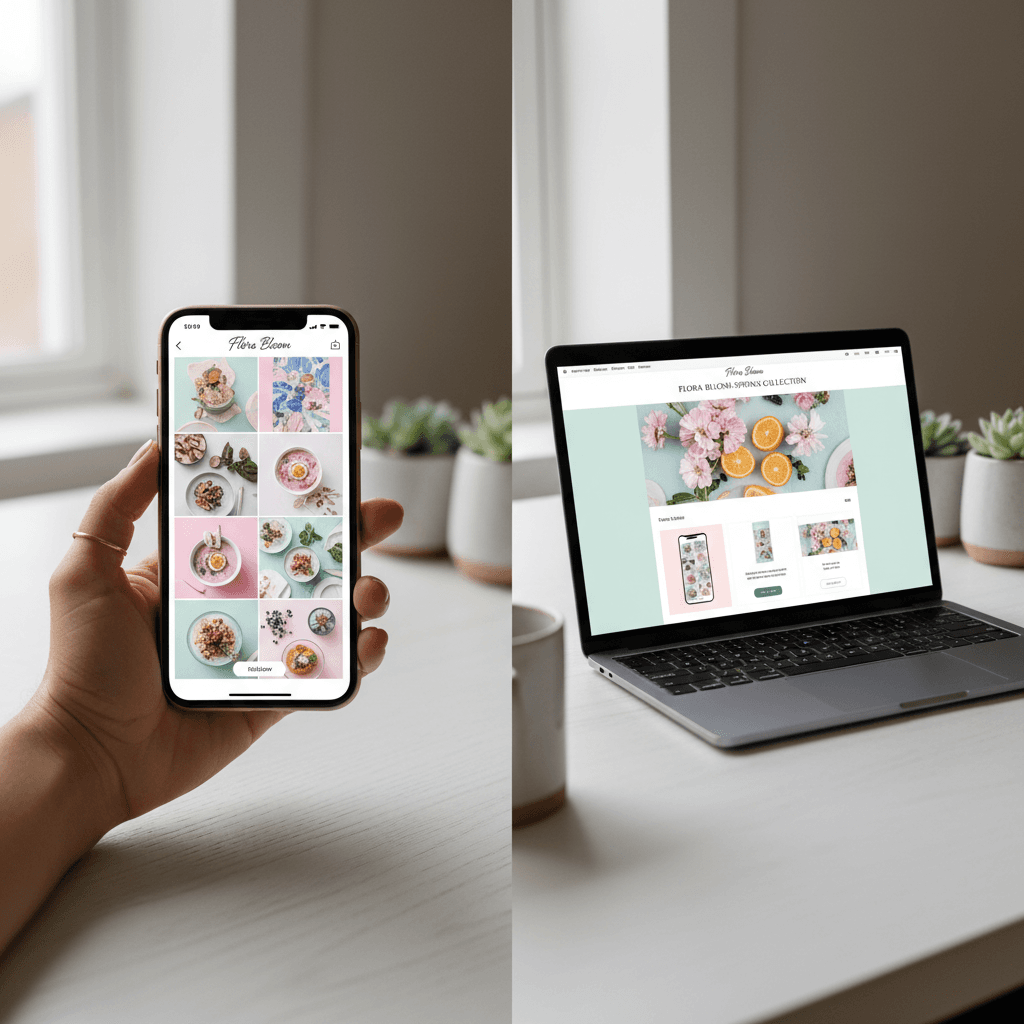
You already spend hours every week creating Instagram content. The photography, the captions, the product styling, the brand storytelling — it all takes real creative energy. Meanwhile, your email marketing sits half-finished in a draft somewhere because starting from scratch on yet another piece of content feels impossible. The solution is not working harder. It is repurposing what you have already made. This guide walks through exactly how to create email campaigns from Instagram content — from the manual approach to the AI-powered workflow that takes minutes instead of hours.
Why Instagram Content Works So Well for Email
There is a reason your Instagram posts feel more natural than your email campaigns. Instagram forces you to be concise, visual, and authentic. You write in your brand voice because you are writing to your community. You choose images that tell a story because the algorithm rewards engagement. That creative work — the voice, the visuals, the product angles — is exactly what makes a good email campaign.
Your email subscribers and your Instagram followers overlap significantly. Research from Omnisend suggests that customers who engage with a brand across multiple channels have a 30% higher lifetime value than single-channel customers. When a subscriber sees a product story in their inbox that echoes what they saw on Instagram, the reinforcement builds trust and moves them closer to purchase.
The content formats translate naturally too. A product launch post becomes a product announcement email. A behind-the-scenes carousel becomes a brand story campaign. A customer testimonial post becomes social proof in a promotional email. The raw material is already there — you just need a system to transform it.
Step 1: Audit Your Instagram Content for Email Potential
Not every Instagram post makes a good email campaign. Start by reviewing your recent posts and sorting them into categories based on their email potential.
High email potential: Product launches, new collection announcements, seasonal promotions, customer testimonials and reviews, behind-the-scenes content that tells your brand story, educational content about your products or industry. These posts have a clear message, a strong visual, and a natural call to action.
Medium email potential: Lifestyle imagery, mood boards, team photos, community reposts. These can work as email content but typically need more editorial framing to justify landing in someone's inbox.
Low email potential: Memes, trending audio reels with no product tie-in, engagement-bait posts (polls, "comment your favorite"), stories that rely on Instagram-native features like stickers or countdown timers. These are platform-specific and do not translate well to email.
A good rule of thumb: if the post could work as a one-page magazine ad, it can probably work as an email campaign. If it only makes sense in an Instagram feed, leave it there.
Step 2: Extract the Campaign Elements
Once you have identified a high-potential post, break it down into the components you need for an email campaign. Every email needs these elements, and your Instagram post already contains most of them.
The hook (subject line): Look at your caption's first line. On Instagram, the first line is everything — it determines whether someone taps "more" or scrolls past. That same hook, adapted slightly for inbox context, becomes your subject line. A caption that opens with "The wait is over. Our winter collection just dropped" becomes a subject line like "The winter collection is here."
The visual (hero image): Your Instagram image or the first slide of your carousel is your hero image. For email, you may need to adjust the aspect ratio — Instagram uses 1:1 or 4:5, while email heroes typically work best at 600px wide with a 1.5:1 to 2:1 ratio. Crop accordingly, or use the original and let your email template handle the framing.
The body copy: Your Instagram caption is the starting point for your email body. It will need to be expanded — Instagram captions are typically 100 to 300 words, while email body copy runs 150 to 500 words depending on the campaign type. Add context that your email audience needs but your Instagram audience already had from your feed (product details, pricing, sizing, availability).
The call to action: Most Instagram posts have an implicit CTA ("link in bio," "shop now," "comment below"). For email, you need an explicit button CTA with a direct link to the product page, collection page, or landing page. This is the one element that email does better than Instagram — a direct, clickable path to purchase.
Step 3: Adapt the Copy for Email Context
Instagram copy and email copy serve different contexts, even when they tell the same story. Understanding these differences is what separates a lazy copy-paste from an effective repurposed campaign.
Tone adjustment: Instagram copy tends to be more casual and conversational. Email copy can maintain that tone but should feel slightly more intentional — you are in someone's inbox, which is a more personal space than a social feed. The vibe shifts from "talking to the room" to "talking to one person."
Length and structure: Instagram captions can be dense blocks of text because users are already committed to reading (they tapped "more"). Email copy needs more visual breathing room — shorter paragraphs, clear section breaks, and scannable structure. Break a 200-word Instagram caption into three or four short paragraphs with a headline or bolded lead-in for each.
Context filling: Instagram followers have context from your recent posts, stories, and overall feed. Email subscribers may not. If your Instagram post references a product launch you teased in stories last week, your email needs to include that backstory briefly. Do not assume shared context across channels.
Remove platform-specific language: Phrases like "link in bio," "double tap if you agree," or "drop a comment" make no sense in email. Replace them with email-appropriate CTAs and engagement prompts.
Step 4: Design the Email Template
The design step is where many brands get stuck. Building an email template from scratch for every campaign is time-consuming, especially if you do not have a designer on your team. Here are three practical approaches.
Use your ESP's template builder: Klaviyo, Mailchimp, and Omnisend all have drag-and-drop builders with pre-built templates. Pick a template that matches your campaign type (product announcement, editorial, promotional), drop in your hero image, paste your adapted copy, set your CTA button, and adjust the colors to match your brand. This works but takes 30 to 60 minutes per campaign.
Build a reusable branded template: Invest time once in creating two or three branded email templates that you reuse for different campaign types. One for product launches, one for editorial or story content, one for promotional sales. This reduces per-campaign design time but requires upfront investment and some design skill.
Use an AI tool that handles design automatically: Tools like SendKite generate both the copy and the email design from your Instagram content. The template selection, color matching, typography, and layout are handled by AI based on your brand aesthetic. This eliminates the design step entirely and produces campaign-ready emails in minutes.
Step 5: Set Up a Repeatable Workflow
Repurposing one Instagram post into one email is useful. Building a repeatable system that turns your Instagram content into a consistent email program is transformative. Here is how to structure that system.
Weekly content review: Every Monday (or whatever day works for your schedule), review the Instagram posts you published in the previous week. Identify the one or two posts with the highest email potential based on the criteria from Step 1. This takes five minutes and gives you your email content plan for the week.
Batch the adaptation: Set aside one block of time — 60 to 90 minutes for manual workflows, 15 to 20 minutes if you are using AI generation — to produce all of that week's email campaigns from the selected posts. Batching is significantly more efficient than creating each campaign ad hoc.
Schedule in advance: Once the campaigns are built, schedule them in your ESP for the coming week. This means your email program runs on a consistent cadence without daily creative production demands. A weekly email to your list built from Instagram content you already created is achievable for a solo operator.
Track what translates: Pay attention to which types of Instagram content produce the best-performing email campaigns. Over time, you will notice patterns — product launches might consistently outperform lifestyle posts in email, or behind-the-scenes content might drive higher click rates. Use these patterns to refine both your Instagram strategy and your email repurposing decisions.
The Manual Workflow vs. the AI-Automated Workflow
To make the comparison concrete, here is what the Instagram-to-email workflow looks like with and without AI automation.
Manual workflow (2 to 4 hours per campaign): Select the Instagram post. Screenshot or download the image. Write the email subject line from the caption hook. Expand the caption into email body copy. Open your ESP's template builder. Drop in the image, paste the copy, configure the CTA button. Adjust colors and layout. Preview on desktop and mobile. Fix rendering issues. Schedule or send.
AI-automated workflow (10 to 15 minutes per campaign): Connect your Instagram account to an AI campaign generator. Select the post you want to turn into an email (or let the AI suggest the best candidate). The AI extracts your brand voice, generates copy in multiple variants, selects an appropriate template, matches your brand colors and typography, renders the full email, and delivers it ready to review and send.
The difference is not just time — it is consistency. Automated workflows run every week regardless of how busy you are. Manual workflows are the first thing to slip when other priorities demand attention. The brands that send consistently are the ones that build email into a reliable revenue channel.
How SendKite Automates the Instagram-to-Email Pipeline
SendKite was built specifically to solve this problem. The platform connects to your Instagram account, analyzes your content history to understand your brand voice and visual style, and generates complete email campaigns from your posts. Here is how the pipeline works.
First, SendKite's AI reads your Instagram posts — not just the captions, but the images too. It identifies the products featured, the campaign theme (launch, promotion, brand story, seasonal), the tone and vocabulary you use, and the visual aesthetic of your brand. This is not a one-time snapshot; the model updates as you post new content.
When you generate a campaign, the AI produces three copy variants so you can choose the best fit or A/B test. It selects a template that matches the campaign type and your brand aesthetic. It pulls in your brand colors, fonts, and logo. And it renders a complete, mobile-responsive email that is ready to push to your ESP.
The whole process takes minutes, not hours. And because the AI has learned from your accumulated Instagram presence — not just a single post — the output sounds like your brand, not like generic AI copy. For a deeper technical walkthrough, see how SendKite works.
Common Mistakes When Repurposing Instagram for Email
Copy-pasting the caption verbatim: Your Instagram caption was written for Instagram. Dropping it into an email without adapting the tone, structure, and context produces an email that feels lazy rather than strategic. Always adapt, even if the adaptation is light.
Using Instagram-sized images without cropping: A 1080x1080 square image dropped into a 600px-wide email template will work technically, but it often produces awkward layouts with too much vertical space consumed by the hero image. Crop or resize for the email context.
Sending every post as an email: Not every Instagram post deserves inbox real estate. Your subscribers gave you their email address, which is a higher-trust action than following you on Instagram. Respect that by only sending content that justifies the intrusion — product announcements, genuine stories, offers with real value.
Ignoring the timing gap: If your Instagram post went up on Monday and your email based on that post goes out on Friday, the moment may have passed. For time-sensitive content (launches, limited drops, seasonal), the email should go out within 24 to 48 hours of the Instagram post. For evergreen content, the timing is less critical.
Forgetting the CTA: Instagram's biggest limitation is the lack of direct links in feed posts. Email's biggest advantage is the clickable CTA button. Every repurposed email campaign should have a clear, prominent call to action that takes the subscriber directly to the relevant page. Do not waste email's superpower.
What Types of Instagram Content Convert Best in Email
Based on performance data across ecommerce brands, these are the Instagram content types that consistently produce high-performing email campaigns.
Product launches and restocks: These have built-in urgency and a clear CTA (shop now). The Instagram post provides the visual and the hook; the email provides the direct link and additional product details. Open rates for product launch emails typically run 25% to 40% higher than general newsletters.
Behind-the-scenes and founder stories: These build emotional connection and brand loyalty. The authenticity that works on Instagram translates powerfully to email, where the format allows for longer storytelling. Click-through rates on story-driven emails are often lower than promotional emails, but they build the relationship that makes future promotional emails more effective.
Customer reviews and UGC: Social proof is persuasive in any channel. A customer photo or testimonial from Instagram, framed properly in an email, validates the purchase decision for subscribers who are on the fence. These work especially well in post-browse or post-cart-abandonment sequences.
Educational or how-to content: If you post tutorials, styling guides, or product usage tips on Instagram, these translate into valuable email content that positions your brand as an authority. The email format allows you to go deeper than an Instagram caption and link to full blog posts or video content.
How Often Should You Send Instagram-Based Campaigns
For most small ecommerce brands, one to two Instagram-based email campaigns per week is the sweet spot. This is frequent enough to stay top of mind without overwhelming your subscribers. Here is a practical cadence to start with.
One campaign per week (minimum viable): Review your Instagram posts from the previous week, pick the strongest one, and turn it into an email campaign. This is sustainable for a solo operator and keeps your email channel active. If you are currently sending less than weekly, this single change will likely have the biggest impact on your email revenue.
Two campaigns per week (growth mode): One product-focused campaign (launch, promo, new arrival) and one brand-story or editorial campaign. This mix keeps your email program feeling varied rather than purely transactional. The story emails build brand equity while the product emails drive immediate revenue.
Three or more per week (high volume): Only appropriate for brands with a highly engaged list and enough Instagram content variety to support it. At this volume, you need to watch your unsubscribe rate closely. If it climbs above 0.5% per send, scale back.
Measuring Whether Your Repurposed Campaigns Work
The metrics that matter for Instagram-repurposed email campaigns are the same as any email campaign, but there are a few specific things to track.
Open rate by content type: Track whether product-focused repurposed campaigns have different open rates than story-focused ones. This tells you what your email audience responds to, which may differ from what your Instagram audience engages with.
Click-through rate compared to from-scratch campaigns: If your repurposed campaigns consistently have lower CTR than campaigns you wrote from scratch, the adaptation process may not be adding enough email-specific value. If they perform equally or better, your repurposing workflow is validated.
Revenue per campaign: Ultimately, the metric that matters most. Track the direct revenue attributed to each repurposed campaign. For most ecommerce brands, a well-executed repurposed campaign should generate $0.50 to $2.00 per recipient depending on your product price point and list engagement.
Time to produce: Track how long each campaign takes from Instagram post selection to email scheduled. This is the efficiency metric that tells you whether your repurposing workflow is actually saving time compared to creating from scratch. If you are using an AI tool like SendKite, you should see this drop from hours to minutes.
Getting Started Today
You do not need to overhaul your entire marketing workflow to start repurposing Instagram content for email. Start this week with one post. Pick the Instagram post from the last seven days that tells the clearest product or brand story. Extract the hook, the visual, and the body copy. Adapt it for email context. Build the campaign in your ESP. Send it. That single action — turning existing content into an email your subscribers actually want to read — is more valuable than any amount of planning.
If the manual process feels like too much overhead, or if you want to scale this to a consistent weekly cadence without the production burden, try SendKite — it automates the entire Instagram-to-email pipeline so you can focus on creating great Instagram content and let the email campaigns follow automatically.
For more on building your email list from Instagram, read our guide to turning Instagram followers into email subscribers. And for a deeper look at how AI handles the content transformation process, see our article on Instagram-to-email automation.